
Where to Place Your Wedding Guestbook QR Code
Tables, the entrance or the photo booth: choose the best places for your QR code and encourage more wedding guests to leave a voice message.
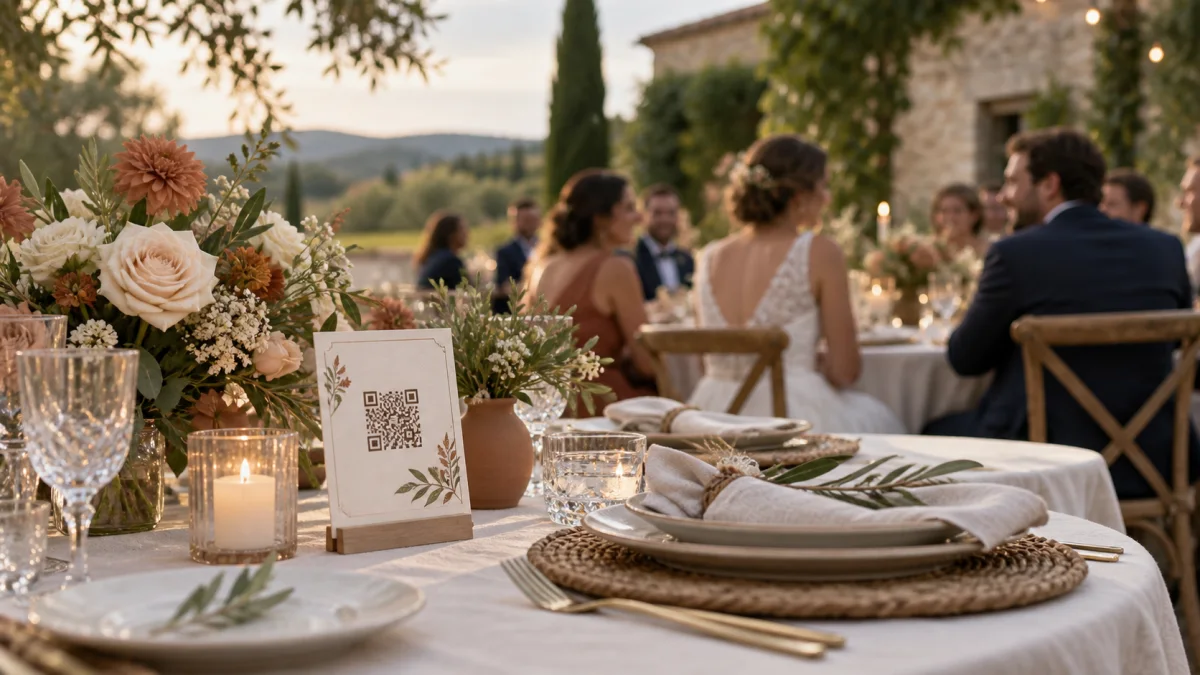
An audio guestbook works best when guests immediately understand how to take part. Put the QR code somewhere visible at the right time, with a friendly prompt. You do not need to cover the whole room: a few well-chosen spots are enough to turn hesitation into a spontaneous message.
Why the QR code’s location affects participation
At a wedding, guests are taking in a lot at once. They are finding their table, greeting friends, listening to speeches and enjoying the music. A QR code tucked away in a corner can easily go unnoticed, even if it is beautifully displayed.
The best location meets three conditions: guests naturally pause there, they can see it without interrupting the celebration, and it feels natural to reach for a phone. There should also be enough quiet nearby to record a clear voice message.
Five effective places to display it
1. At the reception entrance
A sign near the seating plan introduces the idea as guests arrive. They may not take part straight away, but they will know that an audio guestbook is waiting for them during the evening.
2. On the tables, beside the menu
A small stand on each table is hard to miss. Dinner offers a few quieter moments when conversation brings back memories. Place the QR code near the centrepiece without hiding it behind flowers or bottles.
3. By the photo booth or paper guestbook
Guests already associate this area with memories. After taking a photo or writing a note, leaving a voice message feels natural. A paper and audio guestbook work side by side: one keeps handwriting, while the other keeps voices and laughter.
4. Near the bar or coffee station
Guests pass through these areas at different times and often stay for a few minutes. Avoid placing your only QR code right beside the speakers, though. Messages recorded a little further away will be more enjoyable to listen to later.
5. Where guests are staying
If the wedding is at a venue where guests are staying overnight, add the link or QR code to the welcome booklet in their rooms. Some guests may prefer to record the next morning when things are quieter.
What should you write beside the QR code?
A clear prompt works better than a simple “Scan me”. It should explain what to do and give guests an idea of what they could say. For example:
Scan this QR code, tell us a favourite memory and let us hear your voice.
You could add a short question: “Which moment together would you never want us to forget?” or “What advice will you give us for the years ahead?” A question helps guests get past a blank page without making them follow a prepared script.
Make the QR code easy to scan
- Print the code at least 3 to 4 centimetres wide for a table stand.
- Leave a clear margin around it and use strong contrast.
- Avoid glossy surfaces that reflect the room’s lights.
- Try the printed version with several phones before the wedding.
- Add a short web address underneath for guests who would rather type the link.
Introduce the guestbook at the right time
Signs are only part of the solution. Ask the DJ, celebrant or a member of the wedding party to mention the audio guestbook after dinner, when guests are settled into the evening. A quick demonstration is enough: scan, record, listen back and send.
Members of the wedding party can then quietly remind tables that have not taken part yet. The goal is not to make everyone speak, but to make the next step obvious for anyone who wants to.
A checklist before guests arrive
- Open the page from the printed QR code, not just from your digital draft.
- Check mobile data and Wi-Fi in the main reception areas.
- Record a test message to check the sound level.
- Place at least one sign in an accessible, quiet spot.
- Ask someone close to you to remind guests that the guestbook is there.
For more detailed display ideas, read our guide to placing a QR code at a wedding. Once you have checked these details, your loved ones can contribute from their phones without installing an app, and you will find their voices together in your Memolith space.